What is Claude Design? How can it be used for professional product design?
Claude Design is an AI-driven visual creation tool that allows you to generate various design drafts such as prototypes, product UIs, slideshows, landing pages, and infographics simply by describing your ideas in natural language.
1. What Is Claude Design?
On April 17, 2026, Anthropic officially launched a brand-new product to the public — Claude Design.
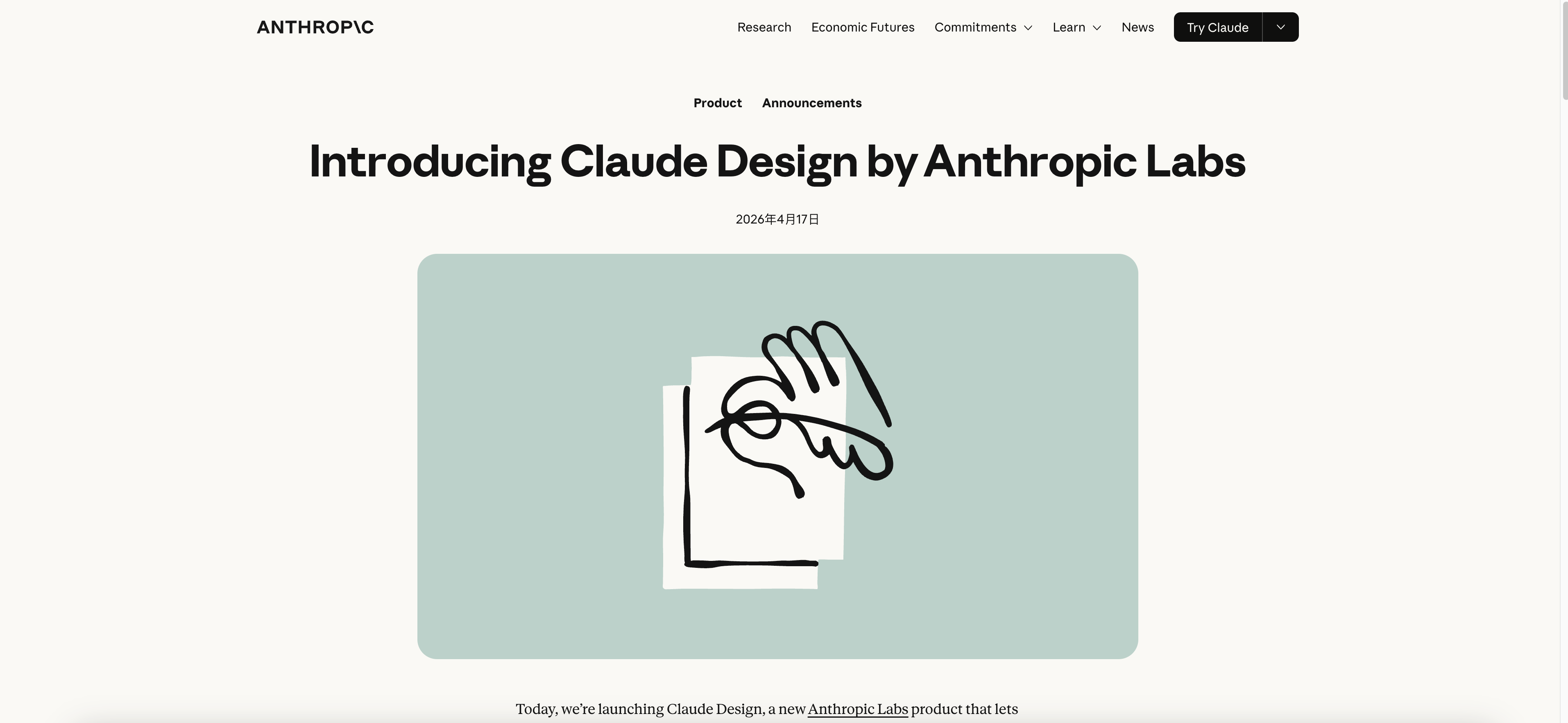
Simply put, Claude Design is an AI-driven visual creation tool that allows you to generate all kinds of design drafts—such as prototypes, product UIs, slide decks, landing pages, and infographics—simply by describing your ideas in natural language.
It is not meant to replace Figma, nor is it a simple "image generation" tool — it is more like a design-savvy AI collaborator that can work with you from scratch to turn ideas into interactive visual products.
Claude Design's core interface: chat on the left, canvas generated in real time on the right
2. What Can Claude Design Do?
Claude Design covers multiple core scenarios in the product design workflow:
① Interactive Prototypes (Prototypes)
From wireframes to high-fidelity designs, it supports interaction logic such as click-through navigation, and can even include voice, video, 3D elements, and shader effects.
② Slide Decks / Presentations (Slide Decks)
Provide a text outline, and Claude can generate a complete pitch deck in just a few minutes that matches your brand style, and directly export it as PPTX or send it to Canva for further editing.
③ Landing Pages / One-pagers (Landing Pages / One-pagers)
Suitable for marketers to quickly create campaign pages and product introduction pages, with support for exporting as standalone HTML files.
④ Wireframes and UI Design Exploration
Designers can quickly generate multiple design directions for direction confirmation or user testing, without going through code review.
⑤ Marketing Assets
Social media visuals, ad banners, brand materials, and more can be directly exported to Canva or other design tools for deeper refinement.
3. The Core Working Principles of Claude Design
3.1 The Dual-Column Mode of Chat + Canvas
Claude Design's interface is very straightforward: the chat box is on the left, and the canvas is on the right.
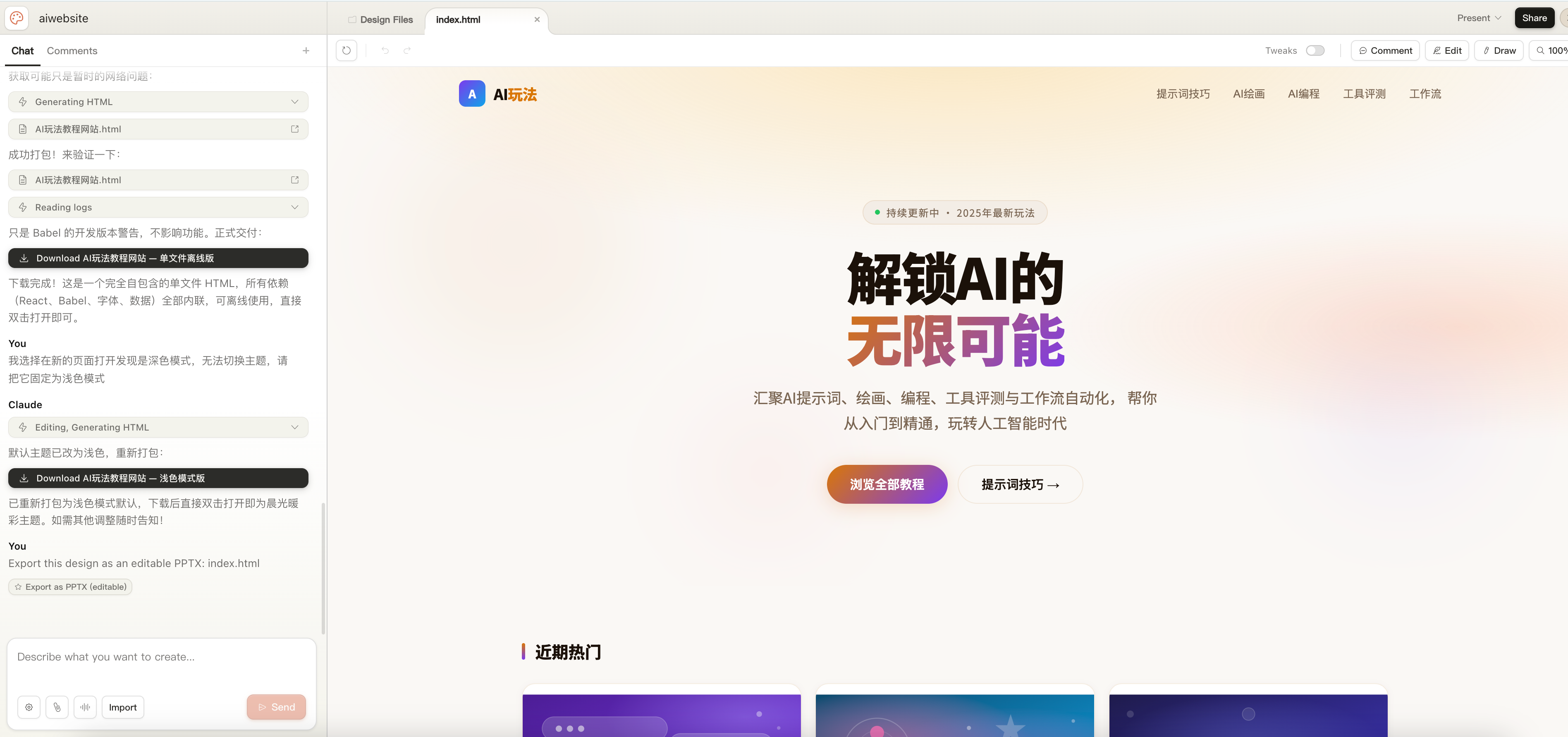
You describe what you want in natural language, and Claude will generate the design draft on the canvas in real time. You can continue chatting to iterate, or directly click on a certain element on the canvas and leave a comment to tell Claude what should be changed.
The whole process feels like collaborating with a real designer: you state the requirements, it produces a solution; you give feedback, it adjusts — after a few rounds back and forth, you can get a fairly mature result.
3.2 Brand Design System
This is one of the most distinctive features of Claude Design.
When using it for the first time, Claude Design will guide you to upload brand assets — such as your codebase, design files, brand guideline documents, existing PPTs, and even logo and font files. Claude will automatically extract the following from them:
- 🎨 Brand color palette (Color Palette)
- 🔤 Typography rules (Typography)
- 📐 Spacing / layout tokens (Spacing & Layout)
- 🧩 Reusable UI components (Components)
Once set up, all subsequent projects will automatically apply this design system, ensuring visual consistency without requiring manual configuration each time. For enterprise teams, this greatly reduces the risk of brand inconsistency.
3.3 Four Ways to Make Fine-Grained Adjustments
Claude Design provides four ways for you to precisely control the design output:
| Method | Applicable Scenario |
|---|---|
| Chat Editing | Large-scale adjustments, such as "Make the overall color tone a bit darker" |
| Inline Comments | Precision adjustments down to a specific element, such as "The padding inside this button is too small" |
| Direct Edit | Directly modify text and simple properties |
| Custom Sliders | Claude will generate dedicated adjustment sliders for certain design elements, allowing you to drag and adjust spacing, color, and layout in real time |
4. The Complete Five-Step Workflow to Master Claude Design
Step 1: Enter Claude Design
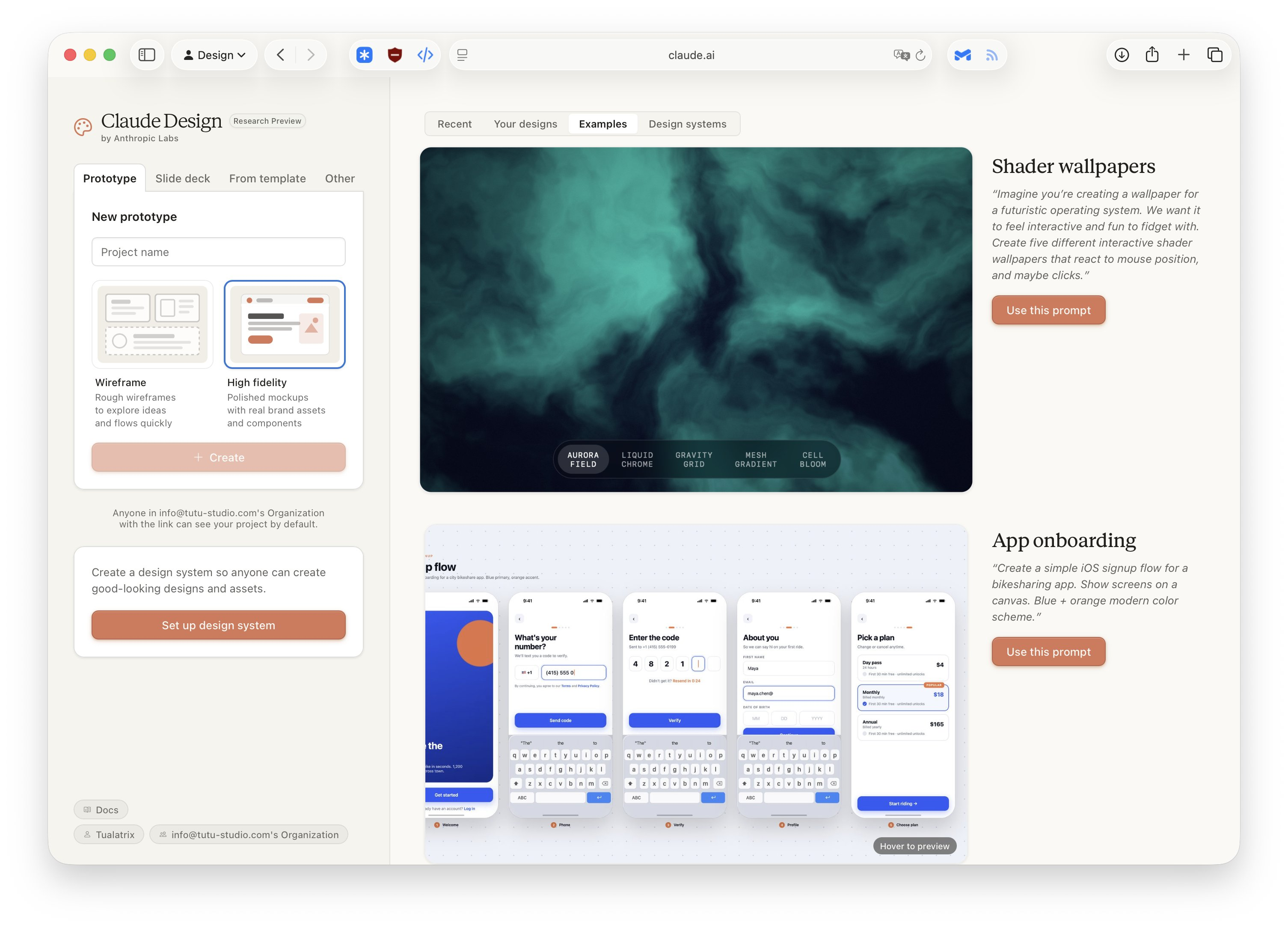
Log in to claude.ai, find the Design entry in the left navigation bar, or directly visit claude.ai/design.
⚠️ Note: Claude Design is currently in the "Research Preview" stage, and requires a Claude Pro, Max, Team, or Enterprise subscription to use.
Step 2: Choose the Project Type
When creating a new project, you need to choose the type:
- Prototype: Product UI or interactive flow diagrams
- Slide Deck: Presentations, investor decks
- Other: Landing pages, infographics, marketing assets, etc.
Step 3: Enter Your Design Requirements
Claude Design supports multiple input methods:
- ✍️ Text description: Directly describe what you want in natural language
- 🖼️ Upload reference images: Competitor screenshots, sketches, wireframes
- 📄 Upload documents: DOCX, PPTX, XLSX — Claude will transform the content into visual drafts
- 🌐 Web scraping: Use the built-in tool to scrape design elements from a webpage as references
A good prompt should include:
- Goal (what you are making)
- Layout (the rough page structure)
- Content (what information needs to be presented)
- Audience (who this design is for)
Example Prompt:
"Help me design a dashboard homepage for a SaaS product. The target users are enterprise finance managers. On the left is a navigation bar, in the middle are core data cards (revenue, expenses, net profit), and on the right is a line chart for the last 7 days. The overall style should be clean and professional, using dark blue as the primary color."
Step 4: Iterate and Refine
After Claude generates the first version, you can continue polishing it in the following ways:
- Say in the chat box: "Increase the title font size and change the color to white"
- Directly click on an element on the canvas and leave a comment: "This button is too large, reduce it by 20%"
- Drag the adjustment sliders automatically generated by Claude to preview the effect in real time
- Ask Claude to conduct a design review for you:
"Analyze this design from an accessibility perspective. What needs to be improved?"
Step 5: Export or Deliver
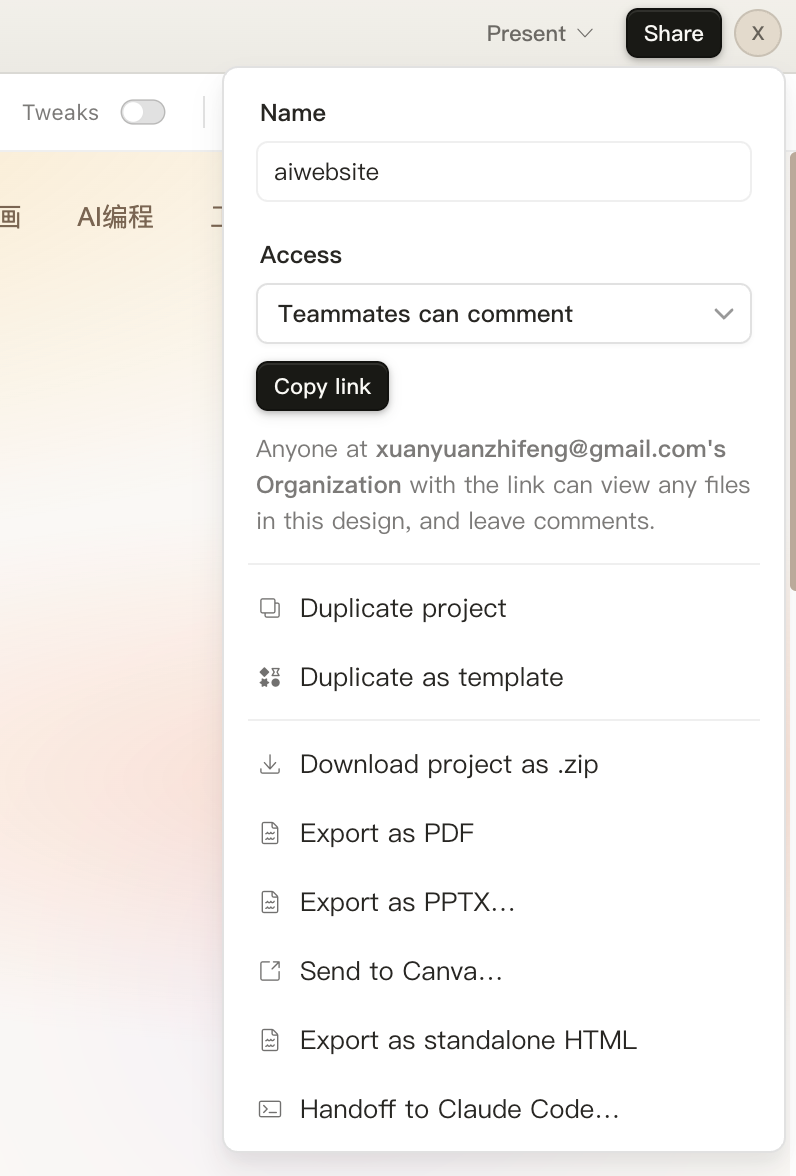
After the design is finished, you have several delivery options:
| Export Method | Applicable Scenario |
|---|---|
| ZIP Download | Complete design resource package |
| Sharing static documents | |
| PPTX | Direct use in PowerPoint presentations |
| Canva | Send to Canva for continued collaborative editing |
| Standalone HTML | A webpage prototype that can be opened directly in a browser |
| Claude Code handoff package | Send the design draft to Claude Code with one click, and let AI automatically generate production-grade code |
5. How Can Different Roles Use Claude Design?
👩💼 Product Managers (Product Manager)
Can't code and don't understand Figma? No problem. Claude Design allows you to:
- Sketch out functional flow diagrams live in the meeting room, without waiting for a designer's schedule
- Quickly generate 2–3 design directions for internal discussion
- After completing the first draft, hand it off with one click for a designer to refine, or directly send it to Claude Code to generate code
"We can get a working prototype before everyone has even left the meeting room." — Feedback from the Datadog team
🎨 Designers (Designer)
Claude Design will not replace you, but it can become your accelerator:
- Quickly explore multiple design directions and find the most suitable visual language
- Turn static design drafts into shareable interactive prototypes in seconds, without writing code and without going through the code review process
- Hand repetitive work (such as adjusting spacing and modifying colors) over to Claude, so you can focus on higher-value creative decisions
🚀 Founders / Sales (Founders & AEs)
When telling your story to investors, you need more than just a PPT — you need a presentation that fully matches your brand tone and can be completed in minutes:
- Input an outline, and Claude Design generates a complete deck
- Export directly as PPTX or send it to Canva for refinement
- No design experience is required throughout the process
"A prototype that used to take 20+ conversations to complete now only takes 2 in Claude Design." — Feedback from the Brilliant team
📣 Marketers (Marketers)
- Quickly create campaign landing pages, banners, and social media assets
- Divide work with designers: Claude Design produces the first draft, and designers do the final polish
- Supports direct export to Canva, seamlessly connecting with existing workflows
6. The Difference Between Claude Design and Figma
After Claude Design was launched, Figma's stock price fell 6.8% in a single day. But the positioning of these two tools is not exactly the same:
| Dimension | Claude Design | Figma |
|---|---|---|
| Core Advantage | Fast, AI-driven, no barrier to entry | Pixel-level precision, real-time multi-user collaboration |
| Learning Curve | Extremely low (if you can talk, you can use it) | Relatively high (requires professional design knowledge) |
| Best-suited Stage | Early exploration, rapid prototyping | Detailed design, production delivery |
| Collaboration Style | Basic sharing and commenting | Professional real-time multi-user collaboration |
| Code Integration | Native integration with Claude Code | Requires Dev Mode plugins |
| Target Users | Everyone (including non-designers) | Professional designers |
Best practice recommendation: use the two together.
Claude Design is responsible for early exploration and rapid prototyping, while Figma is responsible for detailed refinement and production delivery — this is the way most product teams are working in 2026.
7. Pricing and Usage Limits
Claude Design is included in the following subscription plans at no extra cost:
- ✅ Claude Pro
- ✅ Claude Max
- ✅ Claude Team
- ✅ Claude Enterprise
Usage limits follow the corresponding limits of each subscription plan, and additional credits can be purchased if more usage is needed.
Enterprise users can also enable or disable the Claude Design feature through the admin console, and configure a unified brand design system for their teams.
8. Current Known Limitations
Claude Design is still in the research preview stage, and there are some known issues:
- Inline comments may occasionally disappear before Claude reads them (temporary workaround: copy the comment content into the chat box)
- Response delays may occur when connecting extremely large codebases
- Currently only supports the web version, with no standalone desktop client yet
Conclusion
Claude Design is an AI tool that truly lowers the barrier to design. It does not require you to understand Figma, and it does not require you to know how to code. It only requires you to clearly describe what you want — Claude takes care of the rest.
For product teams, its greatest value lies in this:
It compresses the time from "idea → visualization" from several days down to just a few minutes, allowing everyone to participate in design discussions instead of waiting for a single bottleneck.
If you are already a Claude Pro user or above, you can now go to claude.ai/design and start trying it out.
References
- Introducing Claude Design by Anthropic Labs — Anthropic official announcement
- Get started with Claude Design — Official getting started guide
- Set up your design system in Claude Design — Brand design system setup
- Claude Design: Complete Guide for Non-Designers (2026)
- Claude Design vs Figma Make: 2026 AI Design Tool Comparison
- Anthropic launches Claude Design, a new product for creating quick visuals — TechCrunch
- Anthropic just launched Claude Design, an AI tool that turns prompts into prototypes — VentureBeat