How to Secure Your OpenClaw Agent
A practical hardening guide for OpenClaw: trust boundaries, security audit, sandbox inspection, secret management, and the highest-risk settings to avoid.
How to Secure Your OpenClaw Agent
OpenClaw security is not a one-setting problem.
The official docs make the trust model explicit: OpenClaw is designed around a personal-assistant model with one trusted operator boundary per gateway. It is not a hostile multi-tenant security boundary for adversarial users sharing one gateway or one tool-enabled agent.
That single idea should shape everything else. If you get the trust boundary wrong, the rest of your hardening is built on sand.
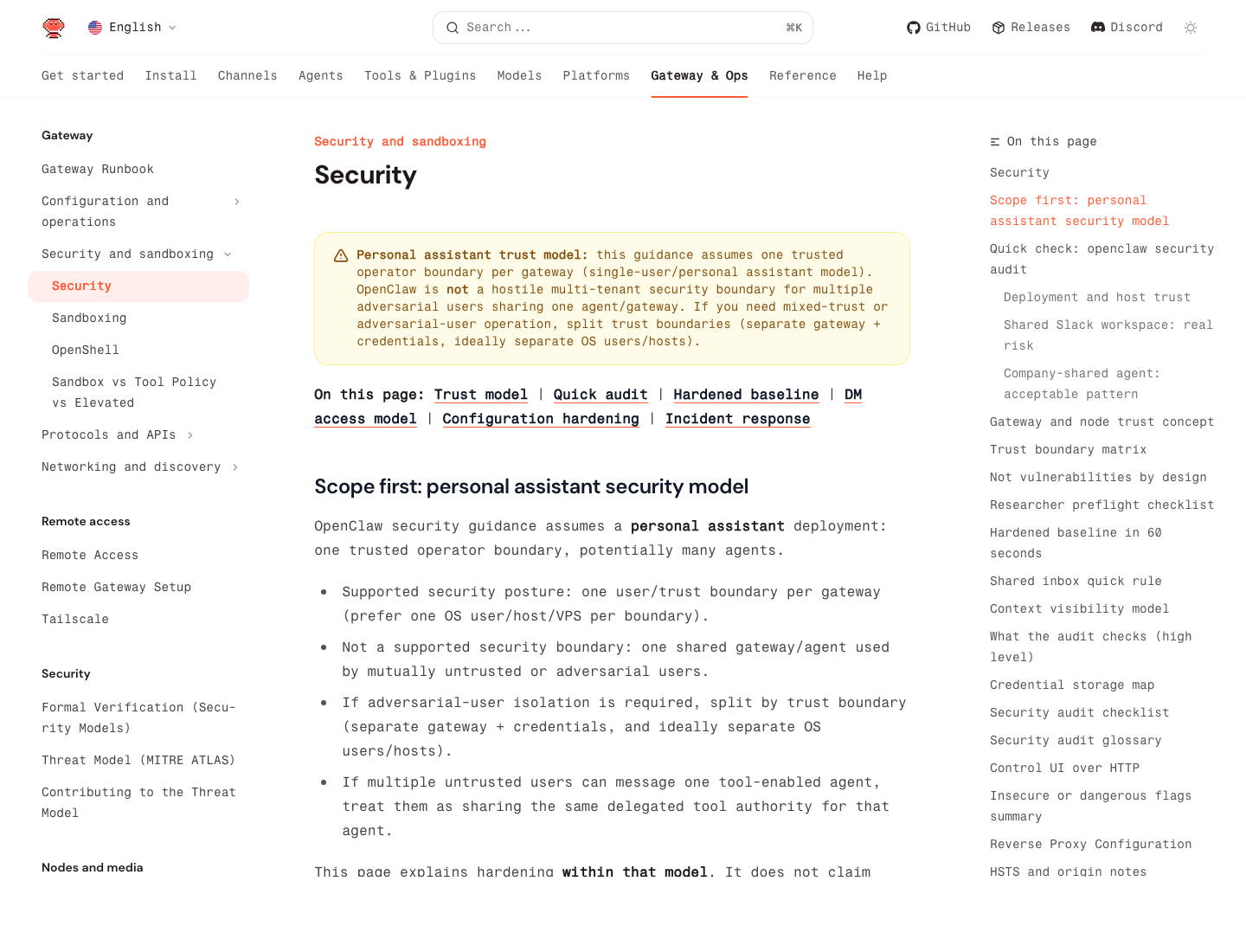
Source: OpenClaw security guide
The First Security Rule: Split Trust Boundaries Early
The docs say this very clearly:
- one trusted operator boundary per gateway
- one shared gateway is not the right boundary for mutually untrusted users
- if you need mixed trust, split gateways, credentials, and ideally OS users or hosts
In practice, that means:
- one personal OpenClaw on one machine or VPS is fine
- one shared family or team assistant is already riskier
- one shared high-permission agent for adversarial users is the wrong design
If several users can message one tool-enabled agent, they are effectively sharing that agent's delegated authority.
The Fastest First Check: openclaw security audit
The official docs recommend running this regularly:
openclaw security audit
openclaw security audit --deep
openclaw security audit --fix
openclaw security audit --json
This is the first command to run after:
- changing config
- exposing a new network surface
- enabling a new channel
- pairing a new browser or node host
- widening permissions
What it checks, at a high level, includes:
- gateway auth exposure
- browser control exposure
- elevated allowlists
- dangerous flags
- filesystem permissions
- permissive exec approvals
Use --fix for the narrow, safe fixes the docs explicitly support, but do not treat it as a full hardening plan.
The Highest-Risk Mistake: Over-Broad Agent Authority
Most OpenClaw disasters come from bad scope, not bad cryptography.
If your agent can:
- read email
- drive the browser
- execute shell commands
- touch your file system
- talk to public messaging channels
then your real job is minimizing what it is allowed to do, where it is allowed to do it, and who is allowed to talk to it.
A practical baseline:
| Surface | Safer baseline |
|---|---|
| read and summarize before send rights | |
| Browser | isolate to a trusted machine or node host |
| Exec | avoid broad approvals; keep workspace-limited |
| Secrets | use SecretRefs, not plaintext |
| Shared agents | avoid unless users share the same trust boundary |
Keep Unsafe External Content Flags Off
The security docs call out these bypass flags explicitly:
hooks.mappings[].allowUnsafeExternalContenthooks.gmail.allowUnsafeExternalContent- cron payload field
allowUnsafeExternalContent
The guidance is simple:
- keep them unset or
falsein production - only turn them on briefly for tightly scoped debugging
- if you do enable them, isolate that agent with minimal tools and a dedicated session namespace
That warning matters because hooks and inbound content are untrusted even when they arrive through systems you think you control.
Sandboxing Should Be Real, Not Decorative
OpenClaw includes a sandbox CLI for a reason.
Use:
openclaw sandbox explain
openclaw sandbox explain --agent work
openclaw sandbox list
openclaw sandbox recreate --all
According to the sandbox CLI docs, sandbox explain shows:
- effective sandbox mode
- scope and workspace access
- tool policy
- elevated gates
- fix-it config key paths
This is the fastest way to answer: "What can this agent actually touch right now?"
And when sandbox config changes, do not assume existing runtimes magically inherit the new policy. The docs explicitly say old runtimes can stay alive, so use openclaw sandbox recreate to force fresh runtimes with the updated config.
Secrets: Audit, Migrate, Reload
The official secrets CLI is stronger than most people realize. The recommended operator loop is:
openclaw secrets audit --check
openclaw secrets configure
openclaw secrets apply --from /tmp/openclaw-secrets-plan.json --dry-run
openclaw secrets apply --from /tmp/openclaw-secrets-plan.json
openclaw secrets audit --check
openclaw secrets reload
This matters because the docs are very explicit that OpenClaw can store sensitive information under ~/.openclaw/, including:
- config and provider settings
- channel credentials
- agent auth profiles
- optional file-backed secrets
- session transcripts and tool outputs
If you are serious about hardening, plaintext credentials should be treated as debt.
Filesystem and Host Hardening Still Matter
The security docs also make this assumption explicit: the host and config boundary are trusted.
So if someone can modify ~/.openclaw/, they are effectively a trusted operator already.
That means your baseline should include:
- a dedicated OS user if the host is shared
- tight permissions on OpenClaw state directories
- full-disk encryption on the host
- avoiding casual shell access on the same box
This is boring infrastructure hygiene, but without it, all the fancy agent controls are much less meaningful.
Browser and Remote Control Need Special Caution
The docs specifically call out browser control and node-host pairing as admin-level trust. If your gateway is remote and the browser runs elsewhere, that node pairing is not a minor feature toggle. It is a high-trust bridge.
Safer pattern:
- keep gateway and node host on the same private network or tailnet
- pair intentionally
- do not expose relay or control ports on LAN or public internet unless you really know why
Unsafe pattern:
- treating browser control as if it were just another harmless plugin
The 5 Most Useful Hardening Moves
If you only do a few things, do these:
- separate trust boundaries early
- run
openclaw security audit --deep - inspect effective sandbox policy with
openclaw sandbox explain - move credentials out of plaintext with
openclaw secrets - keep high-risk tools off agents that do not truly need them
That gets you much further than vague advice like "be careful with permissions."
The 5 Biggest Security Mistakes
1. Treating one gateway as a multi-tenant boundary
The docs explicitly say this is not the intended model.
2. Letting several people steer one high-permission agent
If they can message it, they can influence the same tool authority.
3. Leaving unsafe external content bypasses enabled
These are for scoped debugging, not normal production.
4. Assuming secrets are safe because they are "just local"
Local plaintext is still plaintext.
5. Never checking the live effective sandbox
Config files are not enough. Use the CLI to inspect the actual runtime.
A Sensible Production Mindset
OpenClaw is not "secure once installed." It is secure only to the extent that you are deliberate about:
- who can talk to the agent
- what the agent can touch
- what content the agent should distrust
- how credentials are stored
- how fast you can inspect or revoke risky setup
That is why the docs focus so much on trust boundaries and audit commands. They are telling you that the hardest part is not syntax. It is operating discipline.
Quick Checklist
- Is this one trusted operator boundary per gateway?
- Did I run
openclaw security audit --deep? - Are unsafe external content bypasses still off?
- Did I inspect sandbox policy with
openclaw sandbox explain? - Are secrets moving through
openclaw secrets audit --checkinstead of plaintext? - Are high-risk tools limited to the few agents that truly need them?